Bluehost Web Hosting Help
FTP Setup Using Dreamweaver 8
Problem:
How do I setup Dreamweaver 8 for FTP?
Solution:
- Open up a file in Dreamweaver or select to create a New File.
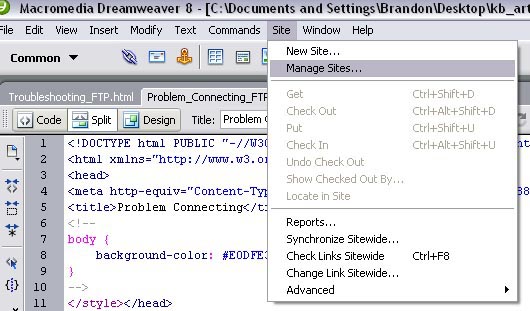
- Select Site | Manage Sites
-
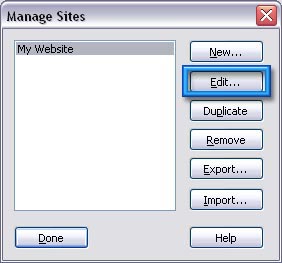
- Select the name of the site and click Edit
- This will show the site's Local Info.
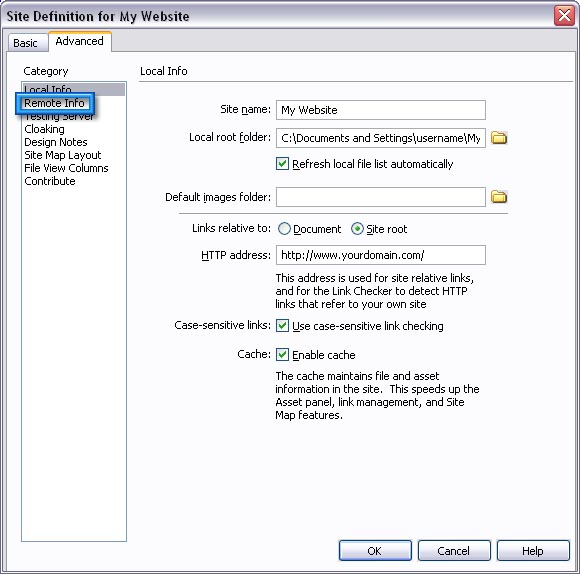
- Select Remote Info.
- Access: FTP
- FTP host: ftp.yourdomain.com
- Host directory: public_html/
- Login: username
- Password: ********
- Check the Save box next to password
- Use passive FTP should be marked
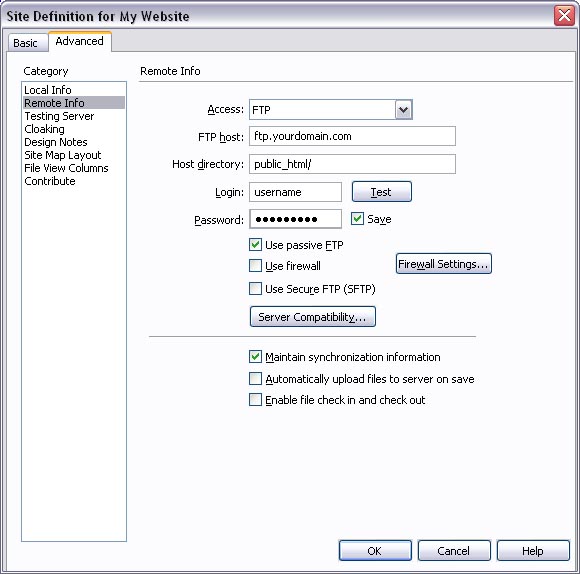
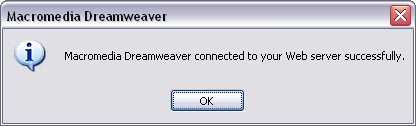
Click the Test button

Tidak ada komentar:
Posting Komentar